News
A free, easy-to-use file cleaner
CCleaner is a useful, simple, and free-to-use application that keeps your Microsoft Windows computer in good shape. It removes unwanted apps, trackers, duplicate files, junk files, cookies, and other redundant items taking up space on the system. With a simple and clean interface, the tool is beginner-friendly and doesn’t pose any major hurdles in usage. CCleaner download comes with multiple customization options, so you can use the program as per your preferences and hardware configuration.
Customization options with efficient processing
Ccleaner has been one of the most popular file cleaners for Windows PCs. Since its development, the program has received multiple version upgrades. While you can choose the feature-packed paid tool, the free version is ideal for home-usage. The paid app comes with extra features, such as cleanup history, software updater, etc. Compared to Clean Master for PC, Registry Cleaner, and other similar programs, this file remover is a more powerful and robust software program.
How does it work?
CCleaner has been designed to clean, optimize, speed up, and protect your computer from unwanted junk files. The program focuses on three primary use cases, i.e., Easy Clean, Registry Scanning, and Tools. While all the functions are important, most people use the first option to keep their computers in good shape.
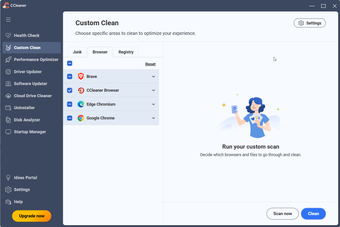
Easy Clean runs a detailed scan of the system to look for junk files and trackers. It automatically moves such files to the recycle bin. Within a few seconds, the app provides you with a complete list of the files on your system. You can even manually remove certain files and folders to clear more space.
Most people are scared about doing anything with registries. However, broken or corrupted registries can slow down your computer. With the Registry Scan, CCleaner gives a list of missing, redundant, unused, or broken registries. While the tool offers to fix them up, you should still backup the originals, just in case something gets accidentally deleted.
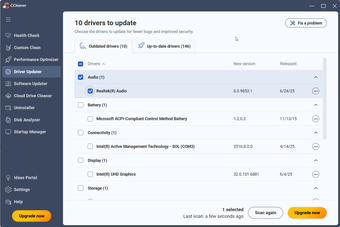
From the Tools section, you can access a wide range of utilities. For instance, there’s an updater, uninstaller, browser manager, startup menu manager, duplicate file finder, drive wiper, disk analyzer, system restore, file cleaner/file remover, etc. There’s even a ‘Settings’ menu, which lets you customize the look and usage of the tool. With all these tools, CCleaner Download is undoubtedly one of the leading choices for speeding up Windows PCs.
Is CCleaner easy to install?
CCleaner comes with a simple and straightforward installer. You can download and install the program within seconds. It’s worth mentioning that the application embeds itself into both context menu and startup. Once you’ve installed the program, you can start scanning the hard drives instantly.
For almost a decade, the company has retained the clean interface. It’s easy on the eyes and doesn’t require any technical skills. While some people might call it outdated, it lets you explore features and functionalities with ease.
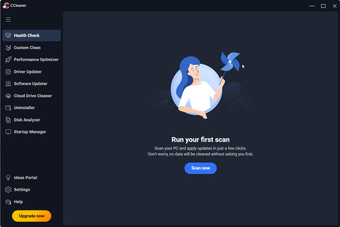
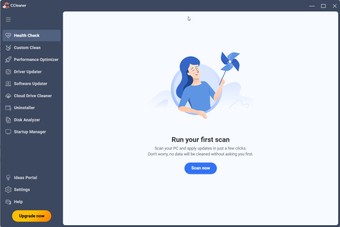
The central hub is where all the scanning and removal takes place. On the left-hand side of the screen, you can find options to play around with settings, upgrade the tool, and perform other tasks. Compared to Free PC Cleaner, the program looks way more sophisticated.
Does CCleaner affect system performance?
While CCleaner can speed up your computer, it’s still a basic tool with minimal function. It primarily removes junk files taking up space on your system. But with more space on the PC, your hard drive can work efficiently. Still, you need to remove a good amount of space to notice any major improvement in speed or performance.
Moreover, modern PCs don’t keep accumulating junk on the hard drive. Windows computers also come with a ‘disk fragmenter’, which can clean up hard disk space without much trouble. It doesn’t require any third-party apps to execute such functions.
CCleaner is still a good tool to optimize your computer, especially while removing or uninstalling older programs you don’t need. Similarly, you can use the software to empty the recycle bin and remove browser extensions. The best part about CCleaner download is that you get a central hub to perform these similar kinds of tasks with ease.
Are there any limitations?
While CCleaner doesn’t have any major drawbacks, some people hold concerns about minor data and privacy issues. The program downloads and installs additional third-party tools, which act as file removers, file cleaners, file scanners, etc. However, you have the option to ‘uncheck’ these offerings during the installation process.
Another problem is the Registry Cleaner section of the tool. Like with some similar programs, including Driver Booster Free, the software could accidentally delete functional or important registries. This could slow down your PC. As mentioned earlier, if you run the Registry Cleaner, you'll want to be sure to make a backup of files before executing a scan.
If you use the program as intended, you won’t experience any major issues. CCleaner is a reliable, trustworthy, and efficient file remover. It lets you access a wide range of tools from a single interface. However, while using any such program, it’s important to keep modest expectations.
A good tool to speed up Windows PCs
CCleaner is one of the most popular file cleaners for Windows PCs. It has been around for a very long time. To use the program, you don’t need any technical knowledge. The simple interface lets you explore the program instantly after installation. Most importantly, CCleaner is a lightweight tool, which means that your hard drive will still have unoccupied space.
While most newer computers don’t need regular cleaning of files, older systems can use CCleaner’s set of tools to improve performance. You can even consider using the paid version for additional features, such as that of recovering deleted files.
Overall, CCleaner is a good utility tool that doesn’t disappoint. Compared to other complicated programs, it’s free, easy-to-use, and fast.


User reviews about CCleaner
by John Spain
I used this software years ago and wow is it different now. It is just amazing and the interface is simple and intuitive. I rally like it.
by Martin Jacquemin
I purchased a years subscription for CCleaner & it has just expired. I now get the message taking up a large portion of the screen 'Your CCleaner Professional Plus License Has Expired' with 25% Discount Offer every time I turn on my PC.
This is infuriating as I can't seem to disable it coming up every time I switch on.
I've gone through every single setting within the application to no effect.
To me, this program is what I call 'Intrusionware'. As far as I'm aware, It doesn't seem to cause any problems on the PC other than intrude upon my privacy & interrupts me in my work.
Bloody frustrating.

More
by Anonymous
Free and portable version also available.
Saw this program on Cnet, Filehippo, Bleeping and Reddit and decided to download it here. Couldn't ask for more to keep my pc clean. More
by Sree Kripa
a need full software for all computer.
it is a essential software for all systems. excellent performance of this software kills all unwanted properties in our computer.
Pros:
yes
Cons:
never ask charge for this service More
by Elna van Rensburg
Quality, efficient, excellent program, quick and painless clean up.
Fast, professional, I can CHOOSE what I want to delete and what I want to keep. I can carry on working while it is tidying up the house!!
Pros:
I can CHOOSE exactly what I want to keep and what I want to delete
App confirmation before deleting
Honestly....when I see the name SOFTONIC I never doubt their credibility or the program/app's functionality or quality
Cons:
Nothing, very happy! More
by Helge Winther
It's a good program..
I'm happy with this tool. just a pity that my trial period has expired))) I'm using it.